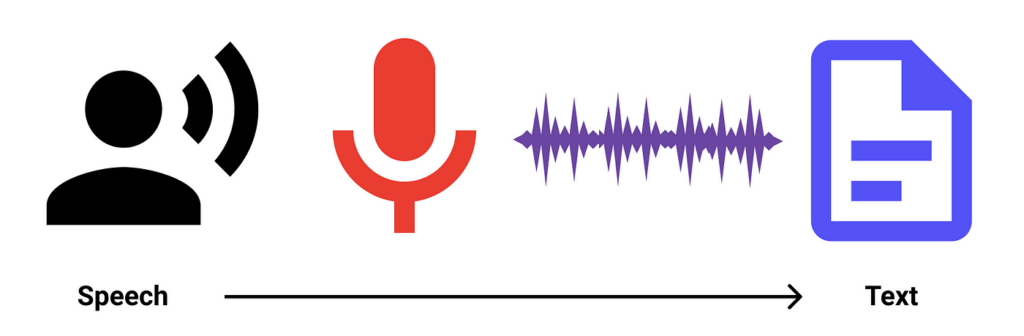
Building an API that supports voice commands is a powerful way to enhance user interaction with your application or service. By enabling voice control, you can provide users with a seamless and hands-free experience, opening up new possibilities for accessibility and convenience. In this guide, we will explore the key considerations and best practices for designing and implementing a voice-enabled API. From handling speech-to-text conversion to processing and interpreting voice commands, creating an API that supports voice input requires a careful approach to ensure reliability and performance. Let’s dive into the world of voice-controlled APIs and unlock the potential of hands-free communication.
Creating an API that supports voice commands is an innovative approach to enhancing user interaction with your applications. In a world where voice interfaces are transforming the way we communicate with technology, having a voice-command-capable API can significantly improve user experience and engagement. This guide will walk you through the essential steps to design and implement such an API.
Understanding Voice Commands in APIs
Voice commands allow users to interact with your API using natural language. By incorporating voice recognition technologies, your API can interpret and respond to user requests, making applications more accessible and user-friendly. This section explores the fundamentals of how voice commands work with APIs.
Step 1: Define the Purpose of Your API
Before diving into the technical details, it’s crucial to define the purpose of your API. What tasks will users perform through voice commands? Consider creating a brainstorming session to outline the functionalities your API will support. Here are some examples:
- Data retrieval (e.g., fetching weather data)
- Executing transactions (e.g., booking tickets)
- Interacting with external services (e.g., sending messages)
Defining these tasks will guide your API architecture and voice processing capabilities.
Step 2: Choose the Right Voice Recognition Technology
Selecting the appropriate voice recognition technology is critical for the success of your API. Popular options include:
- Google Cloud Speech-to-Text: Offers powerful speech recognition capabilities and supports multiple languages.
- Amazon Alexa Voice Service: Integrates easily with IoT devices and provides a comprehensive set of tools for voice command integration.
- Microsoft Azure Speech Service: Provides speech recognition and synthesis with high accuracy and customization options.
Evaluate these technologies based on factors such as accuracy, language support, and integration capabilities to make an informed decision.
Step 3: Design the API Endpoints
Designing the right API endpoints is essential for recognizing and responding to voice commands effectively. Your API design should follow REST principles to maintain simplicity and efficiency. Here’s how to structure your endpoints:
GET /api/v1/voice-command
POST /api/v1/voice-command/execute
The GET endpoint can retrieve available commands, while the POST endpoint will execute a voice command. By maintaining a clear structure, developers can easily understand how to interact with the API.
Step 4: Implementing Voice Command Processing
After defining the API endpoints, the next step is to implement voice command processing. Here’s a simplified flow:
- Capture Voice Input: Use the selected voice recognition service to capture and transcribe user speech.
- Parse Transcription: Utilize natural language processing (NLP) libraries like spaCy or NLTK to parse the transcribed text and identify user intents.
- Execute Command: Based on the identified intent, execute the appropriate action via your API endpoints.
- Respond to User: Provide feedback to the user, either through text or synthesized speech.
This flow ensures that user interactions are processed efficiently and accurately.
Step 5: Handle User Authentication
Implementing robust user authentication is crucial for security, especially when dealing with sensitive data through voice commands. Consider utilizing protocols like:
- OAuth 2.0: A widely-adopted standard that allows users to grant third-party applications limited access to their resources.
- JWT (JSON Web Tokens): Provides a compact way to secure API endpoints by ensuring that requests originate from authenticated sources.
Ensure that your API supports secure authentication methods while allowing a seamless voice interaction experience.
Step 6: Implement Error Handling and Logging
Robust error handling is critical for maintaining a smooth user experience. Here are some strategies for effective error management:
- Return meaningful error messages when users issue invalid commands.
- Log errors for monitoring and debugging purposes. Utilize tools like Loggly or Splunk to manage logs efficiently.
- Conduct user-friendly fallback actions, such as offering suggestions when misunderstandings occur.
Through effective error handling, you can enhance the reliability of your voice-command-enabled API.
Step 7: Testing Your API
Ensuring that your API functions as expected across various scenarios is crucial. Implement a testing strategy that includes:
- Unit Tests: Test individual components to ensure correct functionality.
- Integration Tests: Verify that all components work together seamlessly.
- User Acceptance Testing (UAT): Gather feedback from real users to identify improvements.
Utilize testing frameworks like Postman or Jest to automate and streamline your testing processes.
Step 8: Documentation and Developer Support
Comprehensive documentation is essential for any API. Include the following in your API documentation:
- Clear descriptions of each endpoint and its functionality.
- Examples of voice commands and expected responses.
- Authentication requirements and error codes.
Consider using tools like Swagger or Postman for creating interactive documentation that enhances developer understanding.
Step 9: Monitor and Update Your API
Once your API is live, continuously monitor its performance and usage. Use analytics tools to track metrics such as:
- The number of voice command requests
- Success and failure rates of commands
- User engagement levels
Based on the insights gained, regularly update and optimize your API to meet evolving user needs and maintain performance standards.
Step 10: Promote Your Voice-Enabled API
After building and testing your voice-enabled API, it’s time to promote it. Create marketing materials focusing on:
- The benefits of using voice commands in applications
- Use cases showcasing successful integrations
- Structured guides and demo videos to illustrate how to utilize the API
By effectively promoting your API, you can attract developers and users, driving adoption and engagement.
Conclusion
Building an API that supports voice commands is a multi-faceted process that involves careful planning, execution, and ongoing monitoring. By following the steps outlined above, you can create a robust, user-friendly API that enhances interaction through voice, offering a seamless experience for your users.
Building an API that supports voice commands is a powerful way to enhance user experience and accessibility in today’s technologically driven world. By integrating speech recognition technology into your API, you can create seamless interactions between users and your application, ultimately improving user engagement and satisfaction. Remember to prioritize compatibility with popular voice command platforms and ensure clear documentation to facilitate easy integration for developers. By following these guidelines, you can successfully build an API that empowers users to interact with your application using their voice commands.
Related posts:
 What Are APIs and How Do They Work?
 How to Secure Your API with JWT
 Building a Microservices Architecture with APIs
What Are API Keys and How to Use Them Securely?
Building a Microservices Architecture with APIs
What Are API Keys and How to Use Them Securely?
 A Beginner’s Guide to API Monetization
 Using Google Maps API for Location-Based Applications
 How to Handle API Authentication in Mobile Apps
The Importance of API Caching and How to Implement It
How to Handle API Authentication in Mobile Apps
The Importance of API Caching and How to Implement It
 Building a Weather App Using OpenWeather API
 How to Use AI-Powered APIs for Your Applications
 API Gateway vs Load Balancer: Understanding the Differences
How to Set Up API Rate Limiting in Nginx
API Gateway vs Load Balancer: Understanding the Differences
How to Set Up API Rate Limiting in Nginx
 How to Optimize API Response Time for Better Performance
Best API Security Practices to Prevent Attacks
How to Optimize API Response Time for Better Performance
Best API Security Practices to Prevent Attacks