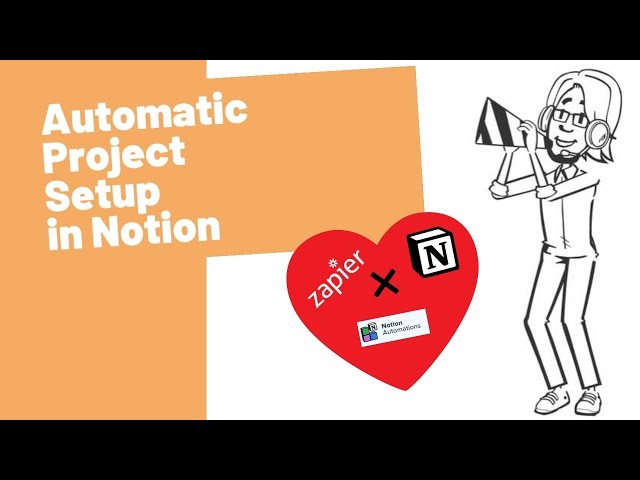
Utilizing the Notion API offers a powerful way to automate project management tasks and integrations with other tools. By tapping into the capabilities of the Notion API, developers can create custom solutions that streamline workflows, enhance collaboration, and improve efficiency. In this guide, we will explore how to leverage the Notion API to automate project management processes, integrate Notion with various tools, and unlock the full potential of Notion as a central hub for project organization. Let’s dive deeper into the world of APIs and web services to optimize project management through the Notion API.
Understanding the Notion API
The Notion API is a powerful tool that allows developers to integrate and automate actions within the Notion platform. With its robust features, the API can help streamline project management tasks, making it easier for teams to collaborate and keep track of their projects. Understanding how to utilize this API can significantly enhance your productivity.
Getting Started with the Notion API
Before diving into automation, you need to set up your environment for using the Notion API. Follow these steps:
1. Create a Notion Integration
To use the Notion API, first, create an integration:
- Visit the Notion Integrations page.
- Click on “New integration” and fill out the necessary details.
- Once created, note down the Integration Token, which will be used to authenticate API requests.
2. Share Your Database with the Integration
Next, you must share relevant databases with your integration:
- Open the page you wish to share.
- Click on “Share” in the top right corner.
- Select the integration you created earlier.
3. Install Required Libraries
To interact with the Notion API, you can use various programming languages. For example, in JavaScript, install the following library:
npm install @notionhq/clientAPI Authentication
Use the Integration Token to authenticate API requests. Below is an example of how to authenticate using JavaScript:
const { Client } = require('@notionhq/client');

const notion = new Client({
    auth: process.env.NOTION_TOKEN
});
Make sure to replace process.env.NOTION_TOKEN with your actual token or set it in your environment variables.
Automating Project Management Tasks
The Notion API can be used to automate several project management tasks. Here are some of the key functionalities:
1. Creating and Managing Projects
Utilize the API to create and manage projects directly. For example, you can create a new project database:
async function createProject() {
    const response = await notion.pages.create({
        parent: { database_id: 'YOUR_DATABASE_ID' },
        properties: {
            Name: {
                title: [
                    {
                        text: {
                            content: 'New Project'
                        }
                    }
                ]
            },
            Status: {
                select: {
                    name: 'Not Started'
                }
            },
        },
    });
    console.log(response);
}
2. Updating Project Status
Automate status updates as your projects progress:
async function updateProjectStatus(pageId, status) {
    const response = await notion.pages.update({
        page_id: pageId,
        properties: {
            Status: {
                select: {
                    name: status
                }
            }
        }
    });
    console.log(response);
}
3. Fetching Project Information
Access the details of your projects easily. Here’s how you can fetch project information:
async function fetchProjects() {
    const response = await notion.databases.query({
        database_id: 'YOUR_DATABASE_ID'
    });
    console.log(response);
}
4. Automating Workflow Notifications
Integrate with Slack or any notification service to automate updates whenever a project status changes:
async function notifySlack(status) {
    await axios.post('https://hooks.slack.com/services/YOUR/SLACK/WEBHOOK', {
        text: `Project status updated to: ${status}`
    });
}
Combine status updates with notifications to keep your team informed in real-time!
Integrating with Other APIs
One of the best things about the Notion API is its ability to integrate with other services. Here are a few examples:
1. Trello Integration
You can link Notion with Trello to fetch your board’s tasks and update them within Notion:
async function syncWithTrello() {
    const trelloTasks = await getTrelloTasks();
    // Process and add to Notion
}
2. Google Calendar Integration
Synchronize your project timelines with Google Calendar events:
async function syncWithGoogleCalendar() {
    const events = await getGoogleCalendarEvents();
    // Update Notion with relevant information
}
Best Practices for Using the Notion API
To maximize your efficiency with the Notion API, consider the following best practices:
1. Rate Limiting
Be aware of Notion’s API limits. Space out your API calls to avoid hitting those limits, especially when automating tasks.
2. Error Handling
Implement robust error handling in your API requests. This will ensure your automation scripts can gracefully handle issues:
try {
    const response = await notion.pages.create(...);
} catch (error) {
    console.error("Error creating page:", error);
}
3. Documentation and Comments
As you build your automation scripts, document your code with comments. This is crucial for maintaining and updating your automation in the future.
4. Periodic Reviews
Regularly review your automation workflows to identify areas for improvement and to adapt to any changes in your project management processes.
Common Use Cases for Notion API in Project Management
Here are some common use cases that can enhance productivity in project management:
1. Task Assignment and Tracking
Automatically assign tasks based on your team’s workload and track progress effortlessly.
2. Milestone Tracking
Stay on top of important project milestones by automating reminders and updates.
3. Resource Management
Use the API to manage resources effectively by centralizing information like availability and workload.
Conclusion
The Notion API provides a rich set of features that can significantly enhance your project management processes. By automating repetitive tasks and integrating with other tools, you can create a streamlined workflow that improves collaboration and productivity.
With a little planning and execution, your team can harness the full potential of the Notion API and elevate your project management capabilities.
Leveraging the Notion API to automate project management through APIs and web services provides a powerful solution for streamlining workflows, increasing efficiency, and enhancing collaboration within organizations. By integrating custom functionalities and connecting various apps and tools, users can achieve seamless automation of tasks and data management, ultimately maximizing productivity and driving successful project outcomes.
Related posts:
 What Is an API Consumer-Driven Contract and How to Use It?
 The Benefits of Using Server-Sent Events (SSE) in APIs
 How to Implement OAuth 2.0 Authorization Server in Node.js
 How to Use Cloudflare Workers to Optimize API Performance
 How to Implement API Data Encryption with AES
 How to Implement API WebSockets with NestJS
 The Difference Between API SDKs and API Wrappers
 How to Implement API Response Caching with Varnish
 How to Build a Headless CMS API with Strapi
 How to Use the Notion API for Task Management Automation
 How to Use the OpenWeather API for Real-Time Air Quality Monitoring
 How to Implement API Request Prioritization with Queues
 How to Build an API That Supports Biometric Authentication
 How to Implement API Connection Pooling for Database Efficiency